Adopt Me Font Generator
Use this free Adopt Me font generator to turn a pet name into cute, preppy and pet-themed Adopt Me fonts with hearts and emojis. Tap any style to copy, or customize colors and save it as a PNG.
Customize Colors, Hearts & Emojis Optional
Adopt Me Symbols & Emojis – Copy and Paste
Tap any symbol to copy it. Use these cute Adopt Me symbols, hearts and emojis to decorate pet names, bios and trade notes, or pair them with any style from the Adopt Me font generator above.
Symbol support depends on Roblox text filtering and the field you paste into, so test a symbol before using it in a long name.
Popular Uses for Adopt Me Fonts
Fonts for Adopt Me pets, profiles and roleplay – the Adopt Me font generator has a style for every pet and account.
Pet Names
Give cats, dogs, bunnies and dragons a styled Adopt Me pet name font.
Preppy Names
Preppy fonts for Adopt Me with bows, sparkles, hearts and soft pink symbols.
Neon & Legendary Pets
Crowns, rainbows and diamonds make neon and legendary pet names stand out.
Profile Fonts
Clean Adopt Me profile fonts for display text and short usernames.
Bio Copy and Paste
Create a cute Adopt Me bio with small caps, script, hearts and tiny symbols.
Colorful Name Images
Pick colors and download a PNG for thumbnails, edits or videos.
Trade Notes
Make short trading text easier to spot with bold or bubble letters.
Nicknames
Turn Adopt Me nicknames into Greek, bubble or cutecore-style text.
How to Use the Adopt Me Font Generator
Copy and paste Adopt Me fonts in three quick steps.
Type Your Text
Enter a pet name, nickname, bio line or short profile text in the box.
Pick & Customize
Choose Cute, Preppy, Pets, Neon, Profile or Bubble & Greek, then open Customize to add hearts, emoji frames and colors.
Copy or Download
Tap Copy to paste the text in Adopt Me, or tap PNG to save a colorful image.
Cute Adopt Me Font Examples
A few of the cute, preppy and pet styles you can create with the Adopt Me font generator above.
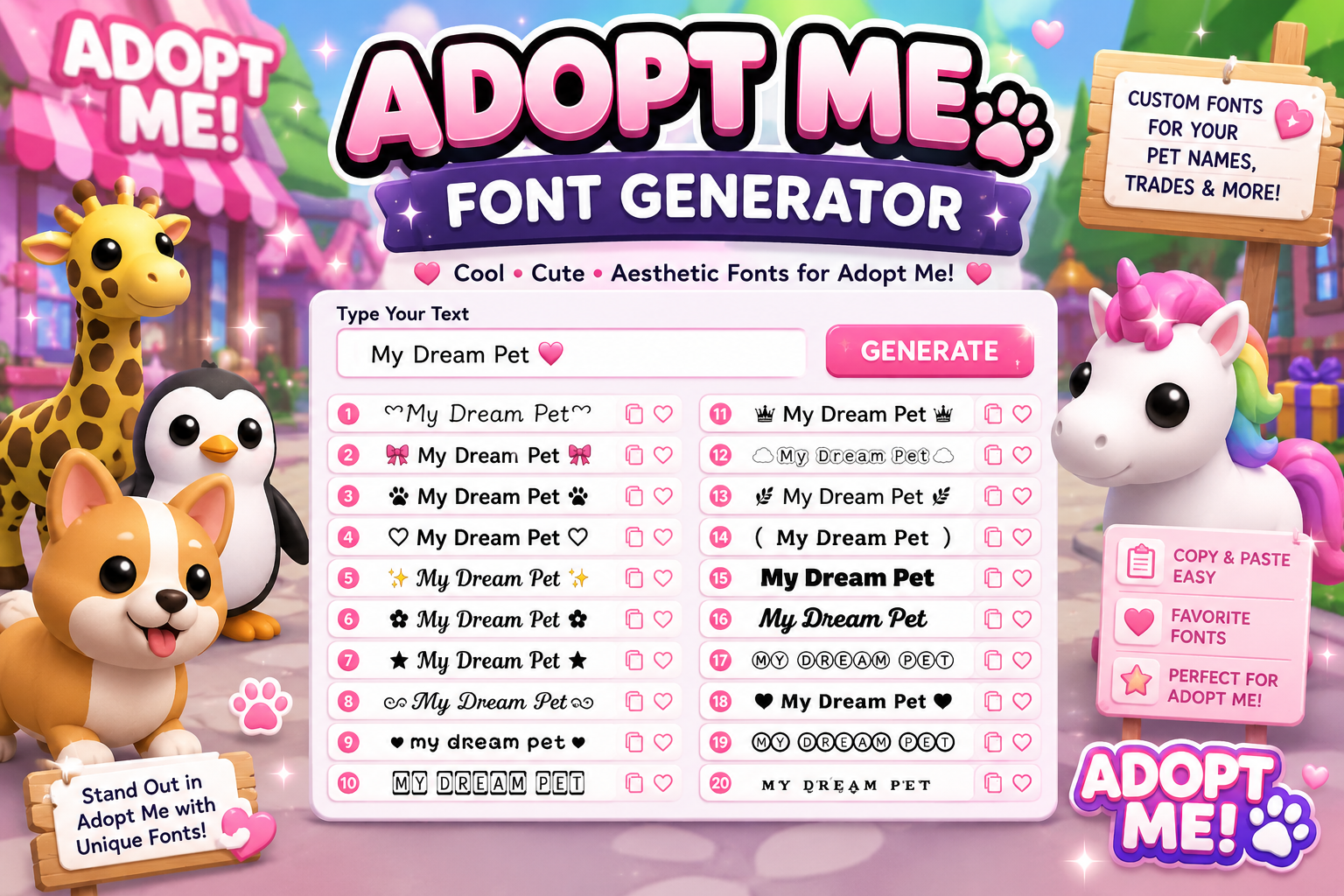
Why Use Our Adopt Me Font Generator
This free Adopt Me font generator is built for quick pet names and profile text.
150+ Adopt Me Styles
Cute, preppy, pets, neon, profile, bubble and Greek styles in one place.
Colors & Emoji Frames
Add hearts between letters, emoji frames and text colors in one click.
PNG Download
Save any style as a colorful PNG, with a transparent background if you like.
One-Tap Copy
Tap a card or the Copy button to copy the Adopt Me font text.
Mobile Friendly
Works in phone, tablet and desktop browsers – no app download.
Free to Use
No account, sign-up or subscription needed.
How Adopt Me Fonts Work
The Adopt Me font generator does not install font files – it uses special characters you can copy as text.
Unicode Letters
Each style swaps normal letters for Unicode letter forms such as script, bold, double-struck, small caps and Greek-looking letters.
Symbols & Emojis
Hearts, paws, bows, crowns and sparkles are added around the text to create the Adopt Me look.
Colors Stay in Images
Copied text takes the color of the place you paste it. To keep your colors, download the style as a PNG.
Fonts That Work in Adopt Me
Some characters are accepted in one field and blocked in another. These tips help you pick Adopt Me fonts that work.
Usually Easier to Use
- Short pet names (one or two words)
- Small caps and simple script styles
- Common symbols like ♡ ✧ ⋆
- Popular emojis like 💗 🐾 🎀 🌈
Good to Know
- Roblox may filter or hide some characters
- Name, chat and bio fields can behave differently
- Emoji designs vary between devices
- Keep a plain-text backup of your name
Explore More Font Generators
More free text generators for every style and platform.
Adopt Me Font Takeaways
A quick summary of this Adopt Me font generator.
Adopt Me Fonts FAQs
Common questions about Adopt Me fonts, symbols and Roblox support.
What are Adopt Me fonts?
Adopt Me fonts are stylish Unicode letters and symbols that players copy and paste into pet names, profiles and bios. They look like different fonts but are actually special text characters.
How do I use this Adopt Me font generator?
Type your text in the box, choose a style from the results or the filters, then tap Copy and paste it into a supported Adopt Me or Roblox text field.
Which fonts work in Adopt Me?
Simple styles such as small caps, script and common symbols are usually the easiest to use. Roblox filters text, so some characters may be blocked or hidden depending on the field. Test the style before using it.
Do you have preppy and cute fonts for Adopt Me?
Yes. Use the Cute and Preppy filters to see styles with bows, hearts, sparkles, flowers and soft symbols. You can also add hearts between letters in Customize.
Can I add colors to Adopt Me fonts?
Yes, in the preview and in the PNG download. Copied text cannot carry its own color, so it takes the color of the app you paste it into. Download the PNG if you want to keep the colors.
Can I copy and paste Adopt Me symbols?
Yes. The Adopt Me Symbols section lets you tap any symbol or emoji to copy it, and many font styles already include symbols.
Is there a Greek font for Adopt Me?
Yes. The Bubble & Greek filter includes Greek-looking letter styles, plus bubble, square and bracket letters.
Is this Adopt Me font generator free?
Yes. It is free to use and does not need an account, app or download.
Ready to Style Your Adopt Me Pet Name? 💗
Open the Adopt Me font generator, type a name, pick a cute or preppy style and copy your favorite Adopt Me font.
Create Adopt Me Fonts NowAdopt Me is a Roblox experience. Font Generatores is not affiliated with Roblox or the Adopt Me developers.