Text Art Generator
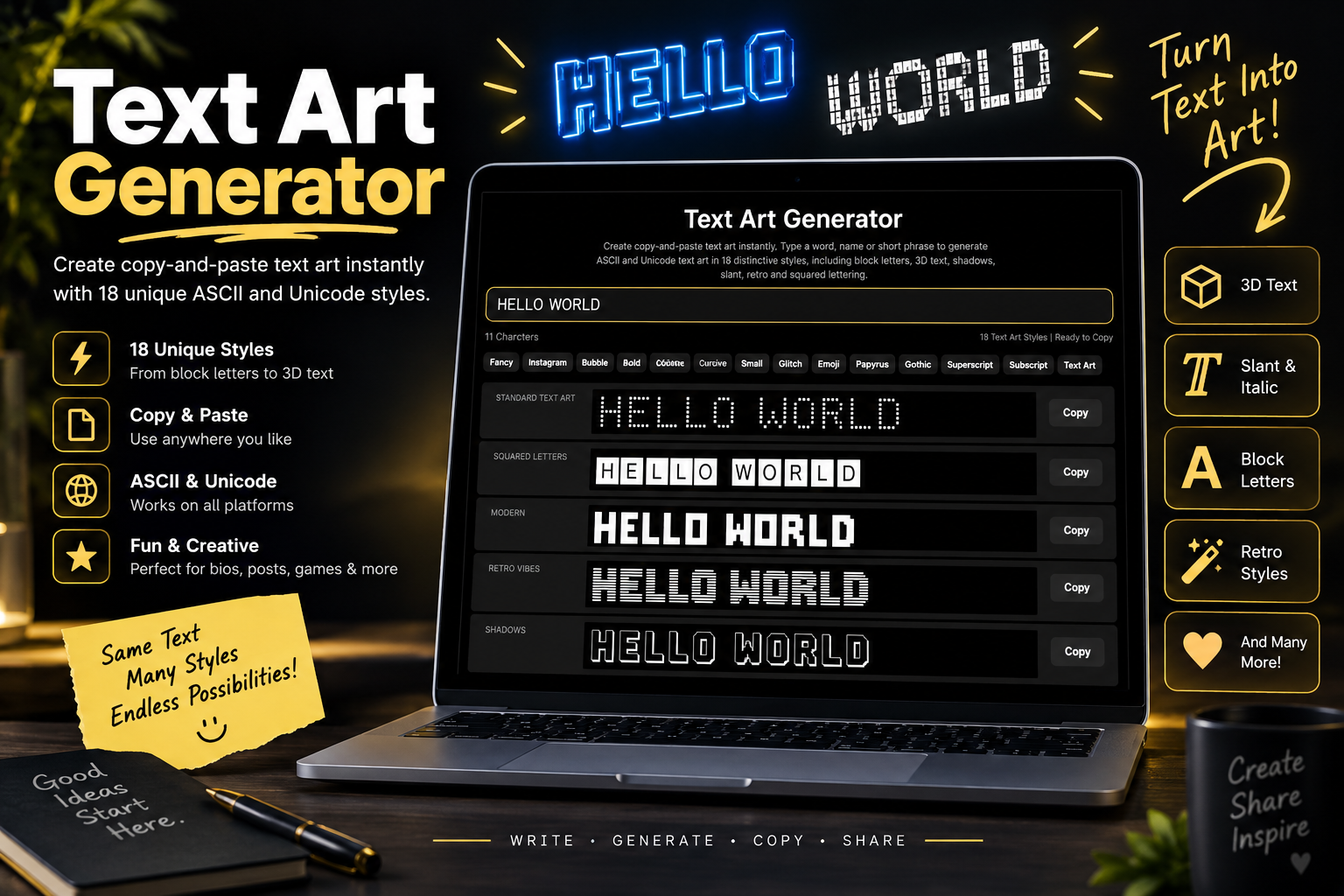
Create copy-and-paste text art instantly. Type a word, name or short phrase to generate ASCII and Unicode text art in 18 distinctive styles, including block letters, 3D text, shadows, slant, retro and squared lettering.
Text Art Styles Included
The generator includes the full set of text-art categories currently surfaced by Picsart’s Text Art tool, recreated here with an independent copy-and-paste rendering engine.
Standard Text Art
Classic large lettering made from text characters.
Squared Letters
Enclosed squared Unicode letters for compact text art.
Modern
Clean block-based lettering with a modern digital look.
Retro Vibes
Shaded terminal-style characters inspired by retro computer art.
Shadows
Layered lettering with a visible text-based shadow.
Rectangles
Chunky rectangular marks build the letter shapes.
Ogre
Heavy oversized lettering for a bold, rough text-art feel.
Italic Letters
Large text art shifted diagonally for an italic appearance.
Slant
Angled character art with a pronounced forward lean.
Small Letters
A compact text-art rendering for shorter messages.
Stick Letters
Lightweight character-built lettering with a simple skeletal feel.
Sub-Zero
An icy Unicode-symbol treatment designed for decorative text.
3D Text Art
Foreground letters plus offset shading create a dimensional effect.
Block Letters
Dense full-block characters make strong banner-style text.
Lines and Dots
Minimal dot-based lettering for a lighter geometric result.
What Is a Text Art Generator?
A text art generator turns ordinary words into visual lettering built from characters rather than image pixels.
ASCII Text Art
Traditional ASCII art uses characters from the ASCII character set to form larger visual shapes. The RFC Editor’s ASCII specification documents the standard 7-bit ASCII set.
Unicode Text Art
Modern text art can also use Unicode symbols such as blocks and shade characters. See the official Unicode Block Elements chart.
Copy & Paste Output
The generated results are text, so you can copy a style and paste it into compatible chats, posts, profiles, documents or code comments.
How to Use the Text Art Generator
Make text art in three simple steps.
Enter Your Text
Type a short word, name, title or phrase into the input box.
Browse 18 Styles
Compare Standard, Squared, Modern, Retro, Shadow, 3D, Block, Broadway, Acrobats, Serif Caps and other distinct text art variations.
Copy Your Favorite
Click Copy beside any result and paste the complete multiline text art where supported.
Text Art Example
Text art can turn a short word into a banner-style composition made entirely from text characters.
Why Use Our Text Art Generator?
A focused ASCII and Unicode text art tool with live previews and copy-ready output.
18 Distinct Styles
Generate 18 distinct text-art styles in one place without switching between separate tools.
Live Generation
Results refresh automatically while you type.
One-Click Copy
Copy an entire multiline design with a single button.
ASCII + Unicode
Styles combine classic text characters with compatible Unicode block and enclosed symbols.
No Font Download
The tool creates text-based art directly in your browser; there is no font file to install.
Responsive Layout
The page keeps the same dark, mobile-friendly generator layout used across the rest of the site.
Text Art Generator
Turn ordinary text into creative ASCII and Unicode text art in 18+ unique styles, then copy and paste your favorite design anywhere.
Where Can You Use Text Art?
Copy-and-paste text art works best in places that preserve spaces and line breaks.
Discord & Chat
Use text art in code blocks or chats that preserve spaces and line breaks.
Social Posts
Simple text-art styles may work in posts and captions, but complex multi-line ASCII art can lose its alignment.
Profiles & Bios
Best for compact single-line styles. Multi-line text art may not display correctly when spacing or fonts change.
Gaming Communities
Use text-based headings and messages where preserved whitespace or code formatting is supported.
Code & README Files
Ideal for ASCII banners in README files, source-code comments and plain-text files.
Messages
Simple styles work well, while multi-line designs depend on the app’s spacing and font handling.
Forums
Works best inside code or preformatted blocks where spaces and line breaks are preserved.
Creative Projects
Use block, line and Unicode text art in text-based designs and other creative digital projects.
ASCII Art vs Unicode Text Art
Both are text-based, but the available character palette is different.
ASCII Art
Uses a small legacy character repertoire such as letters, numbers, punctuation, slashes and hash marks.
Unicode Art
Can use a much larger symbol set, including blocks, shades, enclosed letters and geometric marks.
Compatibility
Simple ASCII tends to render broadly. Unicode-heavy styles can vary slightly by device, font and application.
Explore More Font Generators
Explore our other specialized font and text generators.
Text Art Generator Key Takeaways
The important points about creating and copying text art.
- The tool generates 18 distinct text-art styles from one input.
- Results include both ASCII-style compositions and Unicode-based text art.
- Each result is real text and can be copied with one click.
- Multiline art works best in apps that preserve spaces and line breaks.
- Unicode block and shade characters can render slightly differently across fonts and devices.
- Text Art is added alongside the rest of your generator buttons and the Explore More Fonts dropdown.
Text Art Generator FAQs
Common questions about ASCII text art, Unicode text art and copy-and-paste compatibility.
What is a Text Art Generator?
A Text Art Generator converts ordinary words into visual designs built from text characters, including ASCII characters and selected Unicode symbols.
Is text art the same as a font?
No. Large ASCII-style text art is a composition of many characters arranged across multiple lines. Some compact styles also use special Unicode characters.
Can I copy and paste text art?
Yes. Click Copy beside any result. For multiline designs, paste into a field that preserves line breaks and spacing for the best appearance.
What is ASCII art?
ASCII art uses characters from the ASCII character set to create visual shapes, words or pictures in plain text.
Does this generator use Unicode?
Some styles use only simple text characters, while others use Unicode block, shade or enclosed-alphanumeric characters to create additional effects.
Why can text art look different after I paste it?
Different apps may use proportional fonts, collapse spaces or change line wrapping. A monospace field that preserves whitespace usually gives the most consistent result.
Is the Text Art Generator free?
Yes. You can create and copy text art without registration or payment.
Ready to Create Text Art?
Enter your text, compare 18 ASCII and Unicode art styles, then copy your favorite result.
Create Text Art Now